ChambaPay helps contractors cut the paperwork, take card payments right on the job site, and look professional in front of clients.
No credit card required • Set up in 2 minutes
Everything your client sees, in one clean, professional document.
| Labor — Bathroom remodel (16 hrs) | $1,800.00 |
| Materials — Tile, grout & fixtures | $650.00 |
Your logo & business name
Clear materials & labor breakdown
Direct payment button (card)
Instant digital signature
Put together a professional estimate from your phone while you're with the client. Add items, job photos, and send it by SMS or WhatsApp.
Turn your estimates into invoices in one click. Your client gets a secure link to pay instantly by credit or debit card.
The moment the payment clears, ChambaPay generates and sends the receipt to your client automatically. You don't lift a finger.
Save your services with a price per square foot, linear foot, or flat rate.
Enter the measurements and ChambaPay does the math — no calculator needed.
Branded, itemized estimates your clients can review and approve online.
Turn an estimate into an invoice in one click and get paid by card via Stripe.
The moment you're paid, a receipt is generated and ready to send.
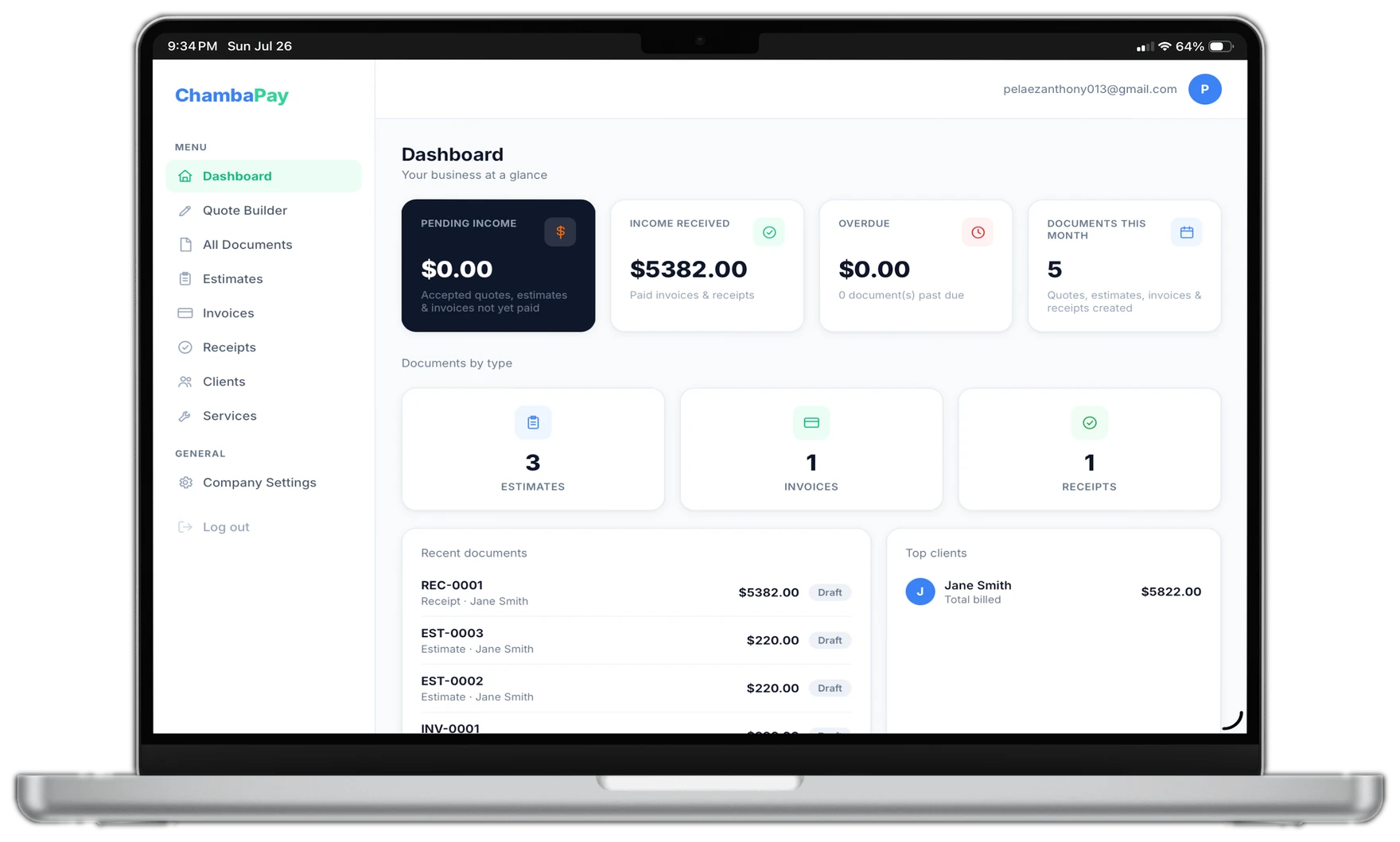
See what's pending, what's paid, and what's overdue at a glance.
"I run Alpha Contractors here in Tallahassee, and chasing paperwork used to eat my evenings. Now I send a quote from my phone, and once a client approves it, turning it into an invoice takes one click."
No. Your clients get a link by WhatsApp, SMS or email, and can view the invoice and pay directly from their web browser — no app required.
Yes! You can upload your logo, choose your brand color, and add a custom slogan to every quote, invoice and receipt.
The Free plan has no time limit — use it as long as you like. If you upgrade to Premium, you can cancel anytime with no hidden fees.
Inside the app, go to Services and add each service with a price per square foot, linear foot, or flat rate. When you build an estimate, just pick the service and enter the measurement — ChambaPay calculates the price for you.
Save your estimate, then click "Convert to Invoice" to turn it into an invoice with the same items — no retyping. Once it's paid, generate the receipt in one click from the invoice.
Ask them to open the link in a regular browser (not inside an app like Instagram or Facebook) and confirm the invoice hasn't already been marked as paid. If it still fails, resend the invoice from the app to generate a fresh link, or reach out to us below.
On the sign-in screen, click "Forgot password?" and we'll email you a link to set a new one.
Still stuck? Email us at support@chambapay.app and we'll help you out.
Join the contractors already simplifying their paperwork with ChambaPay.
Start Free Today